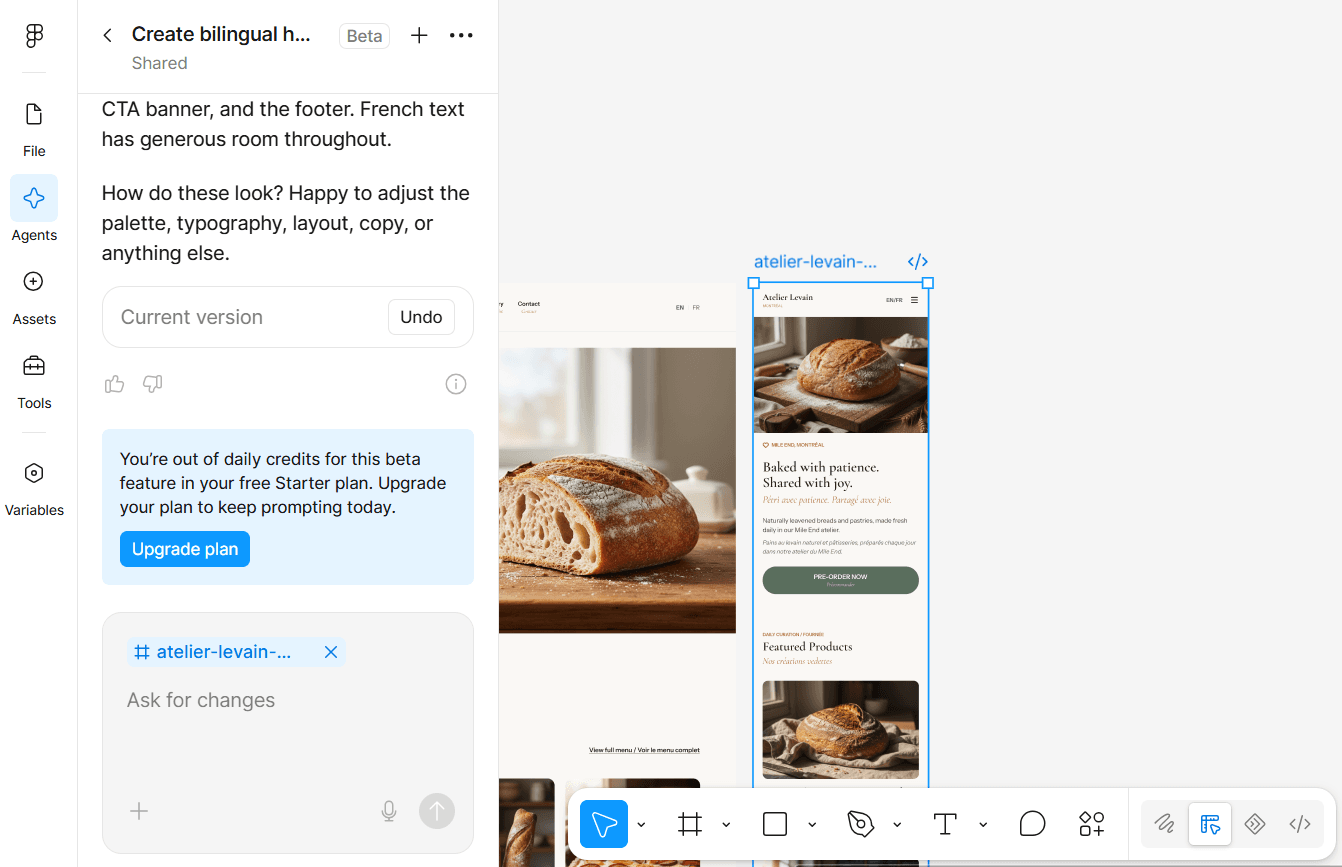

Vibe coding can turn a plain-language prompt into a working prototype surprisingly quickly. Website builders take a different route: they give you an established system for design, content, hosting, commerce, security, and maintenance.
The honest answer is that neither approach wins every time. Vibe coding is strongest when the project needs custom behaviour or rapid experimentation. A website builder is usually the safer choice when a business needs a dependable public website that non-technical people can manage.
The comparison below covers vibe coding as a general AI-assisted method—not one specific product—and five widely used platforms: WordPress, Shopify, Wix, Squarespace, and Webflow.
| Option | Best for | Main advantage | Main limitation |
|---|---|---|---|
| Vibe coding | Prototypes, custom tools, and web apps | Maximum flexibility and fast experimentation | Requires technical review and a production plan |
| WordPress | Content-rich and service-business websites | Strong ownership and extensibility | Ongoing updates and maintenance |
| Shopify | E-commerce-first businesses | Mature store, checkout, inventory, and operations | Subscription, app, and transaction costs can grow |
| Wix | Simple small-business sites | Very easy all-in-one setup | Limited portability outside Wix |
| Squarespace | Portfolios, creators, and visual service businesses | Polished templates and simple management | Less freedom for unusual functionality |
| Webflow | Custom marketing and brand websites | Advanced visual control with a managed platform | Steeper learning curve and plan complexity |
Quick comparison: the best choice depends on what the website must do after launch—not only how quickly it can be created.
My short recommendation: Choose the platform that already solves the difficult part of your business. For a store, that is usually Shopify. For content ownership, WordPress. For polished simplicity, Squarespace or Wix. For advanced visual control, Webflow. Choose vibe coding when custom behaviour is the reason the project exists—and budget for professional review before production.
What “vibe coding” means here
IBM defines vibe coding as prompting AI tools to generate code rather than writing every line manually. Google Cloud separates pure experimentation from responsible AI-assisted development, where a person reviews, tests, and understands the generated code before taking ownership of it.
That distinction matters. Producing a prototype is not the same as operating a secure, accessible, maintainable business website.
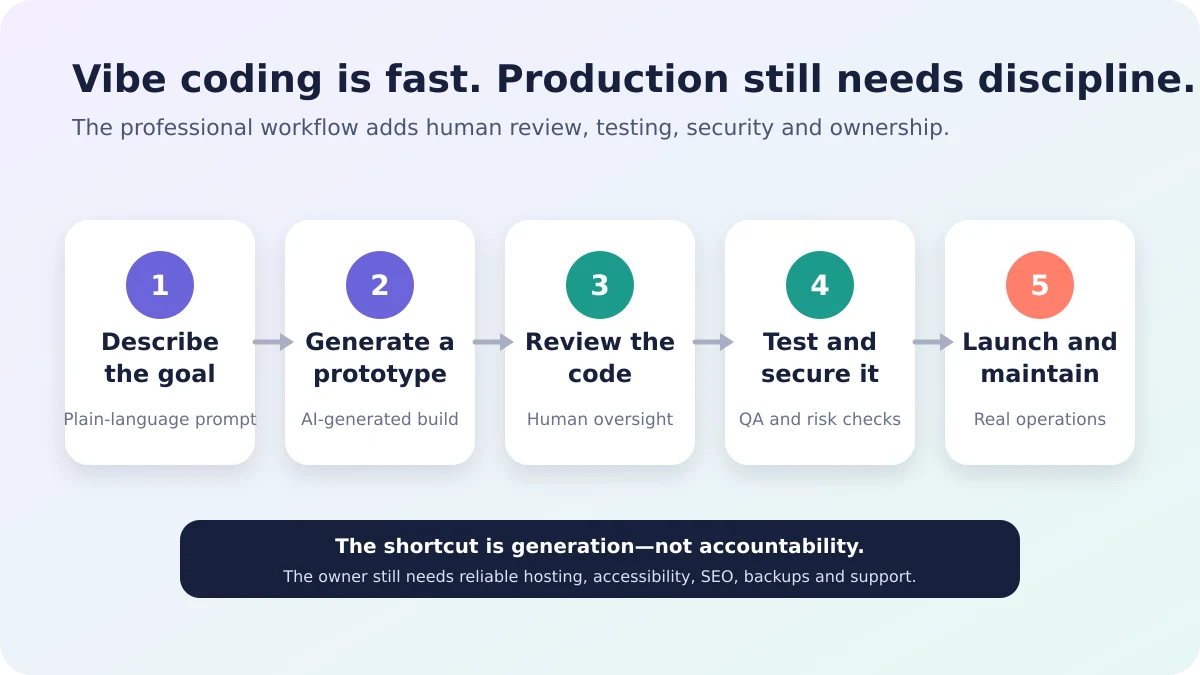
Original diagram: professional vibe coding adds human review, QA, security, and ongoing maintenance after generation. Sources: IBM and Google Cloud.
How the ratings work
The 1–5 stars below are my practical professional evaluation as of August 9, 2026, not universal product scores. Five stars means the option is especially strong for that factor. A low score may still be acceptable when another factor matters more.
Pricing varies by country, billing cycle, plan, apps, hosting, and professional help, so the cost rating measures overall value and cost control—not one promotional price.
Cost and value
- Vibe coding: ★★★☆☆ — Generating a prototype can be inexpensive. Debugging, hosting, security, integrations, and later developer help can make production costs unpredictable.
- WordPress: ★★★★☆ — The software is open source and has no licence fee, but hosting, premium tools, backups, maintenance, and expert support still cost money.
- Shopify: ★★★☆☆ — Plans are predictable and include secure commerce hosting, but paid apps, payment processing, and some third-party transaction fees can increase the total.
- Wix: ★★★★☆ — Hosting, design tools, and business features are bundled, which makes a simple site easier to budget. Advanced features require a paid plan.
- Squarespace: ★★★★☆ — Good value for a polished portfolio or service site because hosting and core tools are bundled. Commerce and advanced features cost more.
- Webflow: ★★★☆☆ — Strong design value for professional marketing sites, but separate site/workspace needs and collaboration features can make pricing harder to understand.
Ease of use
- Vibe coding: ★★★☆☆ — The first prompt is easy; understanding errors, integrations, deployment, and future changes is not.
- WordPress: ★★★☆☆ — Publishing is approachable, but hosting, plugins, themes, updates, and troubleshooting add decisions.
- Shopify: ★★★★☆ — Store setup, products, payments, and orders live in one mature system.
- Wix: ★★★★★ — AI-assisted setup, templates, drag-and-drop editing, hosting, and business tools make it the easiest general option here.
- Squarespace: ★★★★★ — Its guided editor and curated design system are especially friendly for creators and small service businesses.
- Webflow: ★★★☆☆ — Visual editing is powerful, but users benefit from understanding layout, responsive design, classes, and CMS structure.
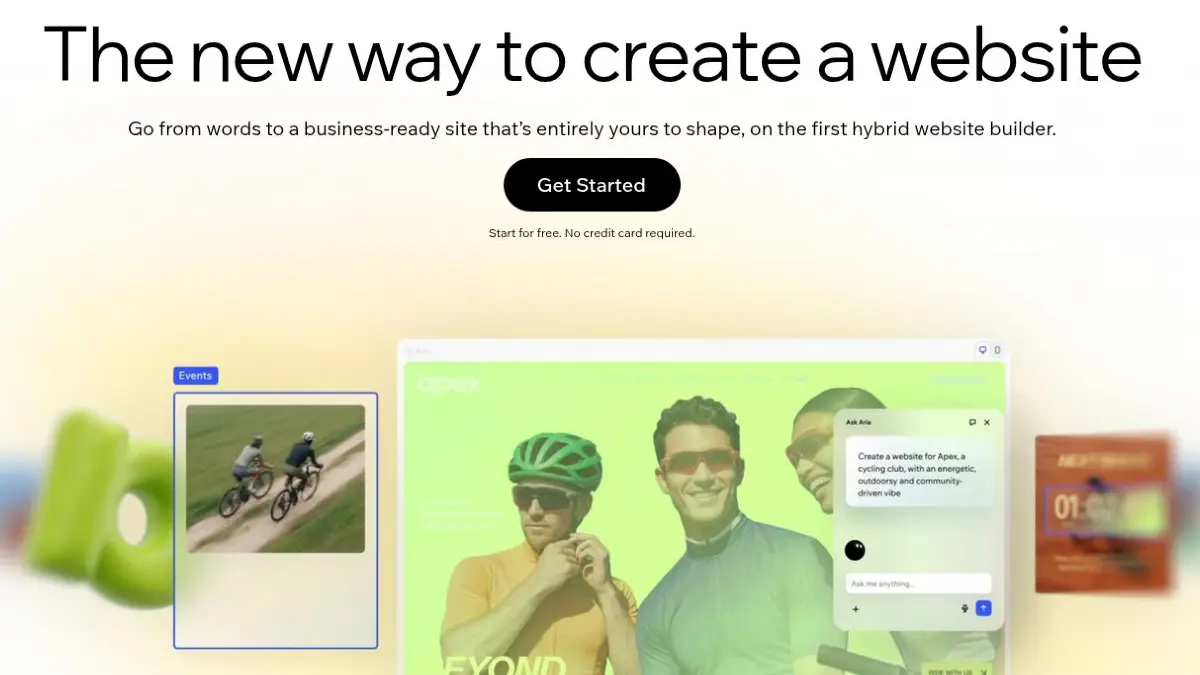
Outside reference visual: Wix’s official homepage demonstrates a hybrid workflow that combines AI prompting with visual editing. Screenshot captured August 9, 2026. Source: Wix.
Design freedom
- Vibe coding: ★★★★★ — You are not limited to a platform’s normal components, provided the generated code is reviewed and maintainable.
- WordPress: ★★★★☆ — Themes, block tools, page builders, plugins, and custom development allow broad freedom, although the final quality depends on the chosen stack.
- Shopify: ★★★☆☆ — Themes and custom storefront development are flexible, but the platform remains commerce-centred.
- Wix: ★★★★☆ — Its current editor provides freeform visual control while keeping the convenience of a hosted builder.
- Squarespace: ★★★☆☆ — Excellent for polished, consistent layouts; less suitable for deeply unusual interfaces or application-like behaviour.
- Webflow: ★★★★★ — Strong control over responsive layout, classes, interactions, components, and CMS design makes it a leader for custom marketing sites.
SEO
- Vibe coding: ★★★☆☆ — It can produce excellent SEO or poor SEO. Results depend on whether the build correctly handles semantic HTML, metadata, structured data, performance, redirects, sitemaps, and crawlability.
- WordPress: ★★★★★ — WordPress is search-friendly by default and offers deep SEO control through plugins and custom development.
- Shopify: ★★★★☆ — It covers core store SEO well, but some URL structures and platform conventions are less flexible.
- Wix: ★★★★☆ — Wix now includes built-in SEO guidance, editable metadata, Search Console integration, and AI-assisted tools.
- Squarespace: ★★★★☆ — Solid built-in SEO for portfolios, services, blogs, and small stores, with fewer technical controls than an open system.
- Webflow: ★★★★★ — Strong page-level control, structured CMS content, redirects, sitemaps, and semantic visual development suit advanced marketing sites.
Ownership and portability
- Vibe coding: ★★★★★ — You can own the source code and choose the hosting, but only if the tool lets you export the complete project and the code does not depend on proprietary services.
- WordPress: ★★★★★ — WordPress is GPL-licensed, can be modified, and lets you control the website, content, data, and hosting.
- Shopify: ★★☆☆☆ — Products, customers, orders, financial data, and themes can be backed up or exported in different ways, but the full commerce platform is not portable as one independent website.
- Wix: ★☆☆☆☆ — Your domain and some data can move, but a Wix website cannot simply be exported and run on another host.
- Squarespace: ★★☆☆☆ — Compatible content can be exported to a WordPress-format file, but not every page, design, image, product, or feature transfers cleanly.
- Webflow: ★★★☆☆ — Paid Workspace plans can export HTML, CSS, JavaScript, and assets, but CMS, user accounts, ecommerce, forms, search, and some other functionality are excluded.
E-commerce
- Vibe coding: ★★☆☆☆ — Building a storefront screen is easy; securely operating payments, tax, inventory, refunds, customer data, fraud protection, and fulfilment is much harder.
- WordPress: ★★★★☆ — WooCommerce and its ecosystem support capable stores, but the owner is responsible for more hosting, updates, compatibility, and maintenance decisions.
- Shopify: ★★★★★ — Commerce is the product, not an add-on. Its checkout, inventory, orders, hosting, security, and sales channels make it the strongest default for a serious store.
- Wix: ★★★☆☆ — Suitable for small and moderate stores that value simplicity, with paid ecommerce plans and built-in business tools.
- Squarespace: ★★★☆☆ — A good fit for creators and service brands selling a focused catalogue, subscriptions, bookings, or digital products.
- Webflow: ★★★☆☆ — Useful for design-led stores, but not my first recommendation when complex commerce operations are the main requirement.
Maintenance and security
- Vibe coding: ★★☆☆☆ — The owner inherits responsibility for dependencies, monitoring, backups, updates, access control, vulnerabilities, and incident response. OWASP specifically warns against inappropriate trust in AI-generated code.
- WordPress: ★★★☆☆ — It can be secure and reliable, but core, themes, plugins, hosting, backups, and permissions need active maintenance.
- Shopify: ★★★★★ — Managed hosting, TLS, platform updates, and Level 1 PCI DSS compliance reduce the technical burden on store owners.
- Wix: ★★★★★ — Hosting, SSL, CDN, disaster recovery, and platform security are managed as part of the service.
- Squarespace: ★★★★★ — The hosted platform handles infrastructure and system updates, making routine ownership easier for a small team.
- Webflow: ★★★★☆ — Managed hosting and platform security reduce maintenance, although custom code and integrations still require responsible review.
Scalability
- Vibe coding: ★★★☆☆ — A well-designed custom system can scale very far; a loosely generated prototype may need major rebuilding first.
- WordPress: ★★★★☆ — It can support large content and commerce sites with the right architecture, hosting, caching, and maintenance.
- Shopify: ★★★★★ — Strong for stores growing in products, orders, channels, staff, and international operations.
- Wix: ★★★★☆ — Suitable for many growing small businesses, but complex custom systems may eventually outgrow the platform model.
- Squarespace: ★★★☆☆ — Scales comfortably for many service, creator, portfolio, and focused commerce sites; less suited to highly custom application logic.
- Webflow: ★★★★☆ — Strong for growing marketing teams, design systems, CMS content, and brand sites, with plan and feature limits to review early.
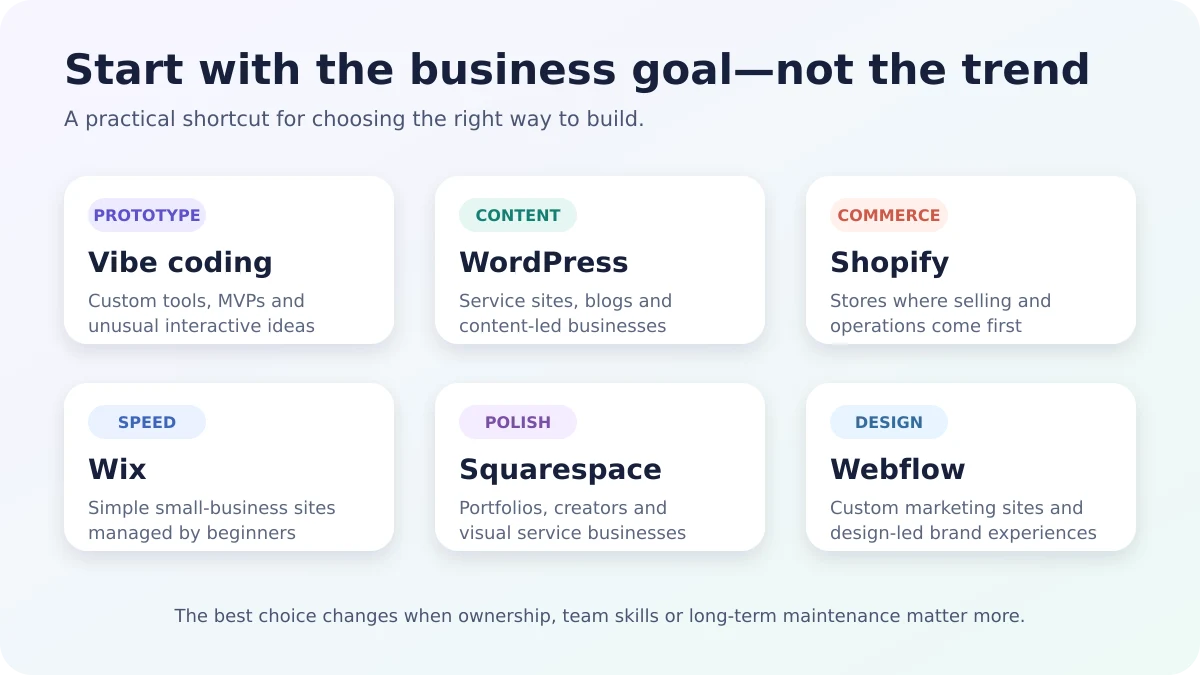
Original decision graphic: start with the business goal, then evaluate ownership, team skills, maintenance, and growth.
Which option should you choose?
- Choose vibe coding for a custom prototype, internal tool, MVP, or interactive feature that standard platforms cannot provide efficiently.
- Choose WordPress for a content-heavy, service, membership, or flexible business website where ownership matters.
- Choose Shopify when the business is fundamentally an online store.
- Choose Wix when speed, simplicity, and easy owner management matter most.
- Choose Squarespace for a polished portfolio, personal brand, creator business, or straightforward service website.
- Choose Webflow for a custom, design-led marketing website managed by a team that understands professional web design.
The most sensible solution may also be hybrid: a stable website builder for the public website, with a carefully reviewed custom tool or interactive feature built separately.
Choose the platform that fits your goals
Do not choose vibe coding because it looks fastest in a demo. Do not choose a website builder only because it has the nicest template.
Start with four questions:
- What must the website do reliably after launch?
- Who will update it every week?
- How important are ownership and portability?
- Who is responsible when something breaks?
If those answers point to standard content, commerce, booking, portfolio, or marketing needs, an established builder is usually the practical choice. If the business value depends on custom behaviour, vibe coding can be a powerful starting point—but production still needs human review, testing, security, accessibility, SEO, and maintenance.
Need help choosing a practical direction? Explore my website design portfolio or contact me before investing in the wrong platform.
Recommended video
This is the clearest short introduction to the concept. For the production side, see Google Cloud: From Vibe Code to Production.
Sources
- IBM: What is vibe coding?
- Google Cloud: Vibe coding explained
- OWASP Top 10:2025 — inappropriate trust in AI-generated code
- WordPress.org features and data ownership
- WordPress.org GPL licence
- Shopify pricing, hosting, fees, and PCI compliance
- Shopify backups and store data exports
- Wix website builder, hosting, security, and SEO
- Wix: exporting or embedding a site elsewhere
- Squarespace website builder and pricing
- Squarespace site export limitations
- Webflow design features
- Webflow code export and limitations