
The short answer is yes—but only up to a point. ChatGPT Agent independently found evidence that my WordPress website had been compromised in the past, even though the live website looked normal. With WordPress, Google Search Console and limited Terminal evidence, it also found no clear sign that the old injection was still active. What it could not do was prove that every part of the website and server was clean.
That distinction became the most useful part of the test. Detecting warning signs is not the same as completing a professional malware investigation.
Product note: This experiment used the ChatGPT Agent workflow available during the test. OpenAI now directs users to ChatGPT Work for current agentic tasks, so names and access paths may differ when readers repeat it. See the official ChatGPT agent documentation.
I gave the agent one important rule: start blind
The test was designed to last about 15–20 minutes and remain completely read-only. The agent could inspect public pages, search results, WordPress administration, Search Console and a small number of Terminal outputs. It could report suspicious findings, but it could not edit files, change users, disable plugins, update WordPress or attempt a cleanup.
For Round 1, I asked it to behave as if a new client had simply said: “Please check whether this WordPress website shows signs that it has been hacked or compromised.” It was not supposed to use anything we already knew about the website’s earlier gambling-spam incident.
A failed first attempt exposed context bias
The first attempt was invalid because the agent used known terms from earlier project context instead of discovering evidence independently. I restarted the public round with a strict boundary: no known spam terms, previously affected URLs or clues from the earlier investigation. Only the restarted round counted. The failure still mattered because it showed how saved context can bias a test that is meant to be blind.
Round 1: The public website looked normal, but Google still held clues
The restarted test began with the homepage, normal navigation and a generic site:zahraali.ca search. At the time of the test, the homepage and ordinary public pages did not show an obvious defacement, malicious popup or redirect.
The generic search was more revealing. At the time of the test, it surfaced suspicious historical snippets associated with the site, including one connected to the Blog and another connected to /refund_returns/. When the agent opened the results, the Blog appeared normal and /refund_returns/ returned a 404 response.
From public access alone, the agent could reasonably identify historical search residue consistent with the earlier compromise. It could not conclude that malicious code was still running on the live website.
Round 2: WordPress access reduced some concerns
Inside WordPress, the agent focused on the most useful areas rather than attempting a full audit. The Users screen showed one administrator—the expected account. Registration was disabled and the default role was Customer.
There were 535 users in total: one administrator and 534 customer accounts. That customer count was unusual and worth recording, but it did not prove a compromise. None of those accounts had administrator privileges.
The plugin list contained 29 plugins, with 24 active and five inactive. The visible plugins and the single active Hub theme appeared consistent with the website’s normal stack. Rank Math showed 20 redirects, and the redirects reviewed looked like ordinary URL cleanup rather than spam destinations. Site Health reported performance and inactive-plugin recommendations, but no direct evidence of an active infection.
Search Console exposed evidence the public website could not
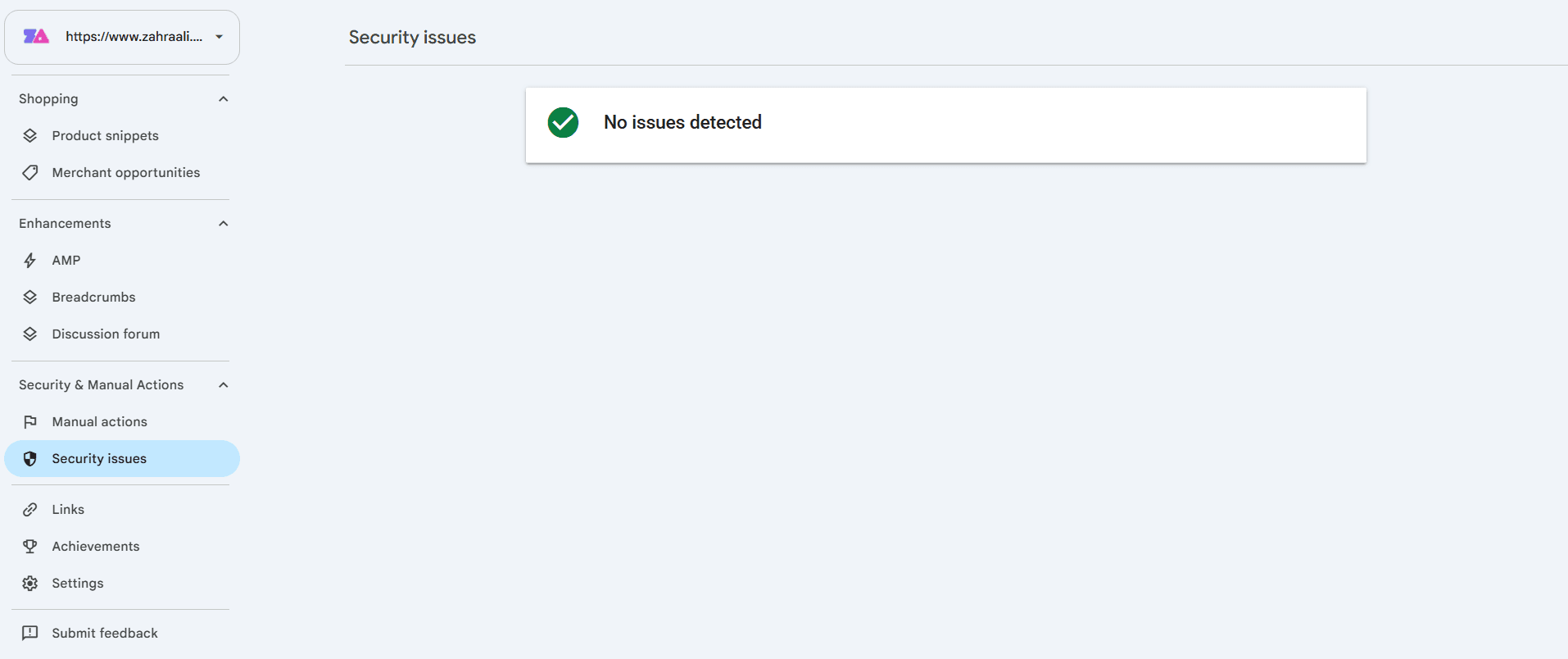
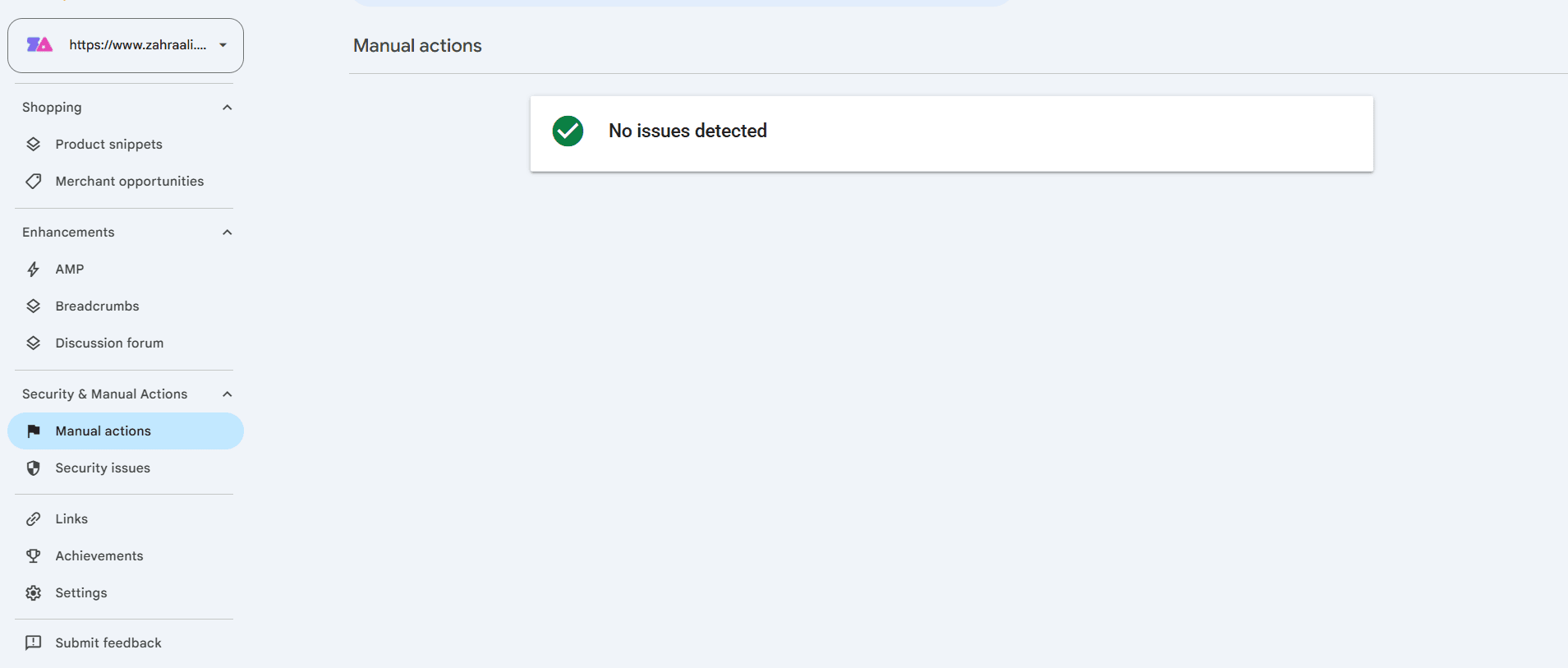
At the time of the test, Search Console showed one verified owner and no unknown users. The Security Issues and Manual Actions reports both displayed “No issues detected.” Those results described Google’s reports at that moment; they did not guarantee that every part of the website or server was clean.
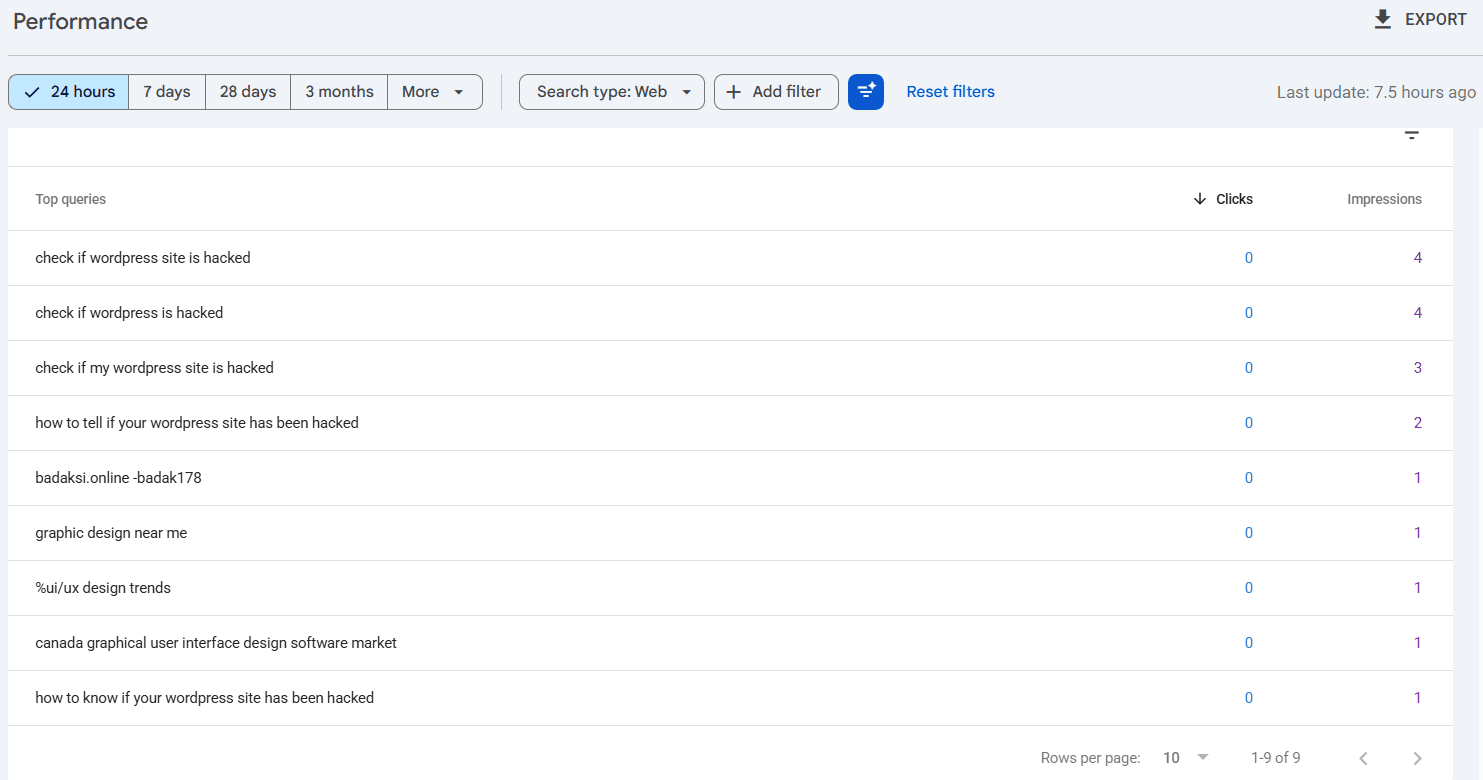
During the test, the Queries report included one unrelated search—badaksi.online -badak178—with one impression and no clicks. It was worth noting, but a single impression did not establish an active injection. The other visible hacked-WordPress queries matched a legitimate security article recently published on the website, showing why search data needs context.
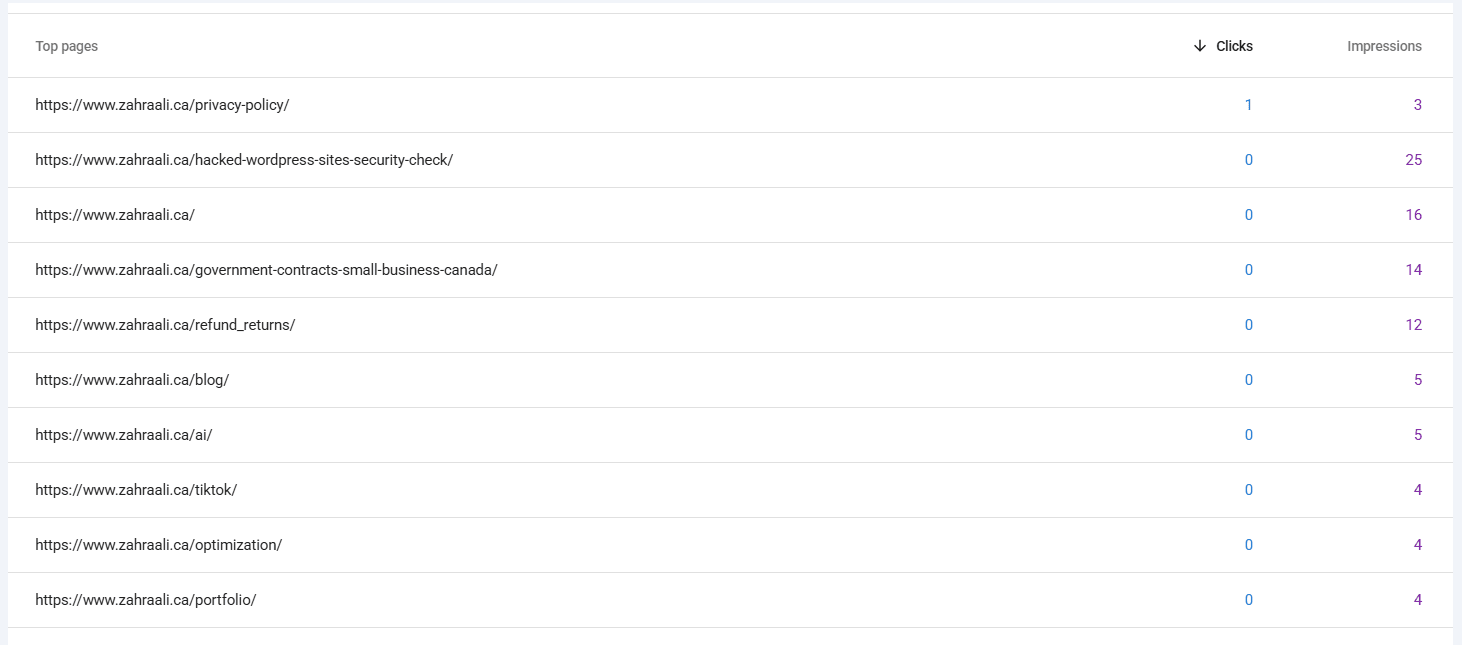
The Pages view provided stronger historical evidence. At the time of the test, the old /refund_returns/ URL recorded 12 impressions. Because the live page returned 404, this was best interpreted as lingering exposure from the earlier incident—not proof that the malicious page was still active.
Round 3: Terminal evidence strengthened the current-state assessment
The first Terminal commands failed because they were run from the account’s home directory rather than the WordPress installation. The agent asked for one read-only command to locate wp-config.php, which identified /home/[account]/public_html as the WordPress root.
From that directory, three focused checks were completed:
wp core verify-checksums
wp user list --role=administrator
find wp-content/uploads -type f \( -name "*.php" -o -name "*.phtml" -o -name "*.phar" \)
The WordPress core files matched official checksums
WP-CLI returned: “Success: WordPress installation verifies against checksums.” This supports the conclusion that the installed WordPress core files matched the official version checksums. WP-CLI also warned that wp-cli.yml was an extra file. An extra configuration file is not automatically malware, so the agent did not label it malicious based on its filename alone.
Passing the checksum check confirmed only WordPress core-file integrity. It did not assess plugins, themes, uploads, database content, server configuration or other non-core files. See the official WP-CLI checksum documentation for what the command verifies.
The administrator and uploads checks found no obvious escalation path
The administrator command returned only the expected account. The uploads search returned no results, meaning it found no files ending in .php, .phtml or .phar inside wp-content/uploads.
These checks narrowed the risk but did not cover other file extensions or locations, plugin or theme code, database content, scheduled tasks or server configuration.
What ChatGPT detected correctly—and what it missed
ChatGPT correctly recognized that a normal-looking homepage did not rule out a historical compromise. Its strongest result was the combination of generic public-search evidence and Search Console impressions for an old URL that was no longer live at the time of the test.
It also avoided a second common error: it did not treat clean core checksums, one legitimate administrator or empty uploads results as proof that the whole website was safe.
The test did not deeply inspect plugin and theme files, must-use plugins, Code Snippets, the database, scheduled tasks, server logs, .htaccess rules, recently modified files or hosting-level malware reports. Those checks belong in a broader investigation, including these WordPress security checks for site owners, but they would have turned this short experiment into a full audit.
Several findings were suspicious without being proof
The 534 customer accounts could reflect old spam registrations or legitimate historical activity. The single unrelated Search Console query could be search noise, historic contamination or something worth monitoring. The extra wp-cli.yml file could be legitimate configuration. Five inactive plugins represented security hygiene to review, not evidence that the site was hacked.
The first invalid round also showed that the agent itself can introduce bias. When prior findings are present in project memory, a supposedly independent test can become confirmation rather than discovery.
The final result by access level
| Test area | What ChatGPT found | Further verification needed? |
|---|---|---|
| Public website | Live pages appeared normal; no obvious redirect or defacement. | Yes |
| Search/index evidence | Generic search revealed historical spam residue. | Yes |
| WordPress admin | No unknown administrator, plugin, theme or redirect was found. | Yes |
| Search Console | Old URL still had impressions; no detected security issue or manual action. | Yes |
| Terminal checks | Core verified; one expected admin; no PHP-like files found in uploads. | Yes |
Can ChatGPT Agent detect a hacked WordPress site?
Yes, it can detect meaningful warning signs and combine evidence from the public website, WordPress, Search Console and limited Terminal checks. In this test, it independently identified evidence of a historical compromise even though the live site looked normal.
No clear active infection was found in the areas checked at the time of the test, while historical traces were visible in search data then. That did not guarantee that the whole website or server was clean, because the experiment did not inspect every possible location or data source.
The experiment showed that ChatGPT Agent can support triage, evidence gathering and decisions about what deserves closer human attention. Its limit was equally clear: restricted, read-only checks could not replace a complete professional security investigation or certify the site as clean. That result complements my separate test of whether AI agents can use a real website.